
You spend a lot of time inside a code editor as a coder, so reducing friction with the editor is essential.
One of my favorite friction-reducing features in VS Code is multi-cursors. You can insert multiple cursors — on a single line or across multiple lines — and edit multiple places in your code simultaneously. For instance, multi-cursors allow you to change values across several CSS lines blazingly fast:
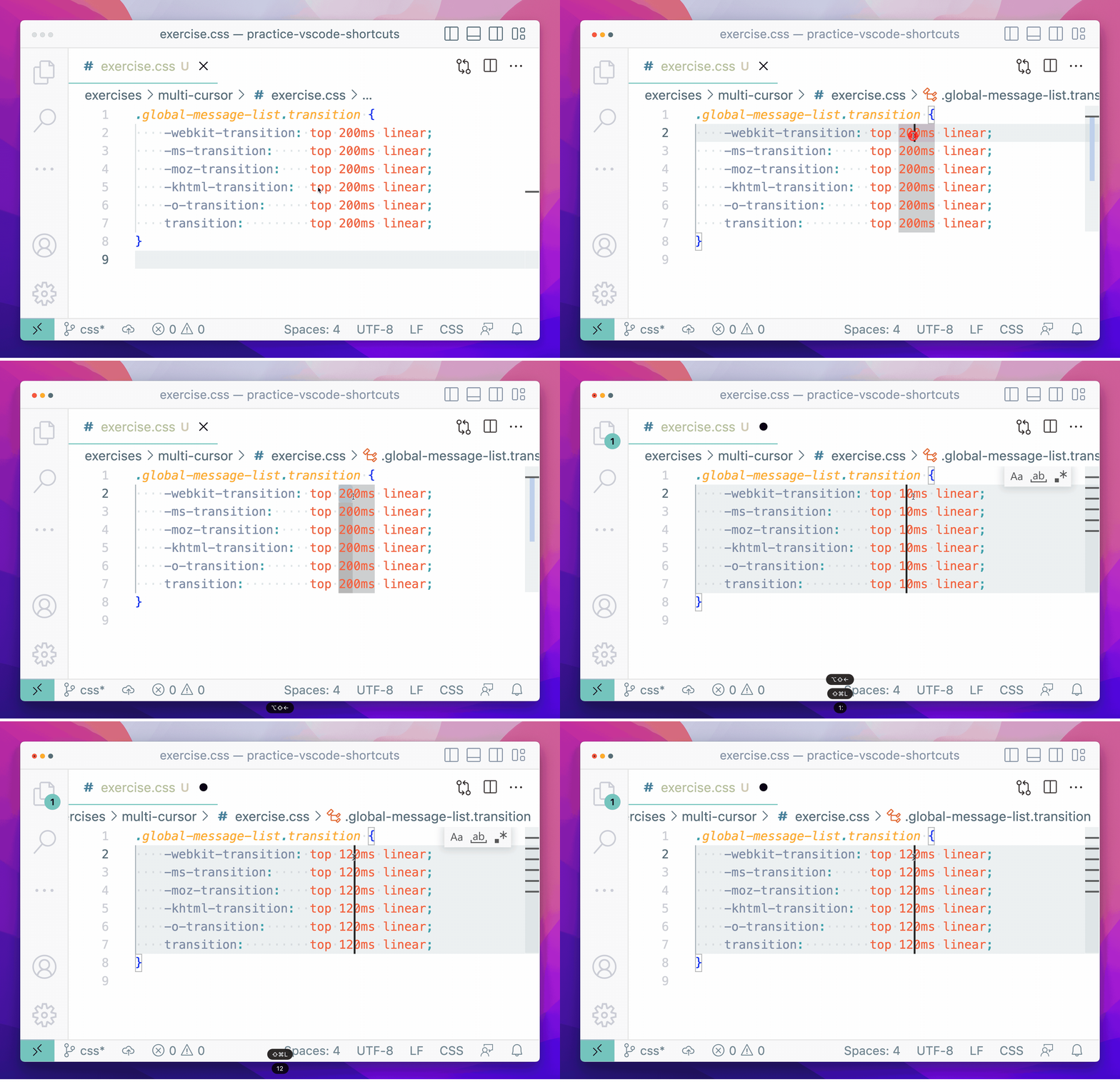
all images and gifs by author
I’ll show you how to:
- Create multiple cursors with and without your mouse
- Customize multi-cursor behavior
- Practice multi-cursors in a variety of scenarios with guided exercises
We’ll use the CSS example to illustrate different ways to add multi-cursors. Here’s the code if you want to copy and paste it into an editor and follow along with the examples:
But, as you’ll see in the practice exercises, multi-cursor utility extends far beyond CSS.
Creating Multiple Cursors With Your Mouse
You can use your mouse to insert multi-cursors anywhere you want, or you can select multiple lines and insert multi-cursors at the end of each selected line.