
If you are a React developer using VS Code as your primary code editor, you will probably like to take advantage of the VS Code extensions.
In this article, I’ll help you choose the best VS Code extensions to improve your React development environment.
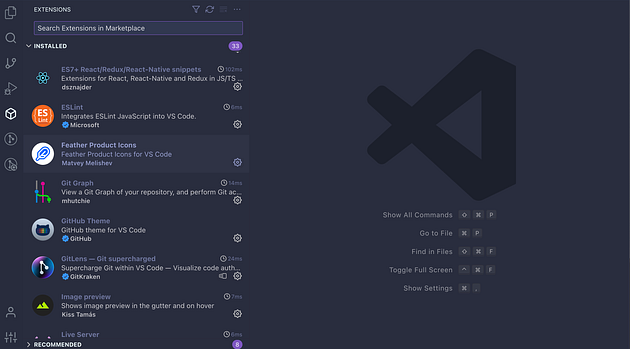
Section 1: Fundamentals
The initial set of extensions I opted for were all geared towards aiding me in crafting well-structured and easily comprehensible code:
- ES7+ React/Redux/React-Native Snippets — This is a highly popular extension among React and React Native developers. It offers shorthand prefixes that accelerate development by generating code snippets and syntax for React, Redux, GraphQL, and React Native. This extension significantly boosts the development process.
- Simple React Snippets — It offers a collection of curated React code snippets that can be effortlessly incorporated into your code with just a few keystrokes.
- Babel JavaScript — This extension is fundamental for maintaining proper coding style, especially as we’ll be utilizing “future-JS” (ES6+).
- ESLint — A linter serves as a code analysis tool that guides you in enhancing your code quality. Delve into this link for a more comprehensive explanation of its functionality.
- Prettier — Code formatter — Prettier enforces a consistent code style by parsing and reformatting your code according to its predefined rules. It ensures uniformity, considers maximum line length, and intelligently wraps code when required.
- Prettier ESLint — Linters encompass both code quality and stylistic rules. However, Prettier should handle formatting, and linters should address quality. Avoid conflicts by utilizing Prettier for formatting and linters for quality.