
Your internet speed is key to determining what bitrate options you have. Head to Ookla Speed Test (speedtest.net), run a quick test and record your results. Your download speed is handy to know, but what you’re really interested in is your upload speed which is measured in Mbps.
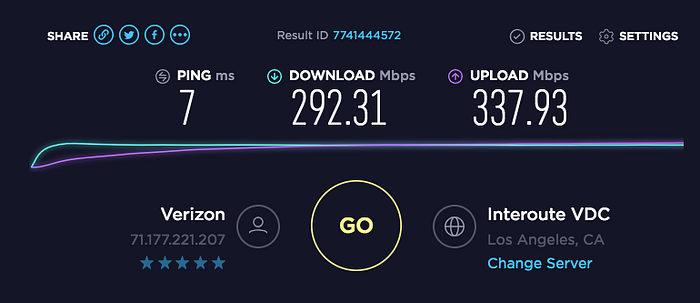
An example of a results screen from Oola Speed Test. Notice the Upload speed on the right (337.93 Mbps).
Knowing your upload speed will help you determine how much of your bandwidth you can dedicate to streaming — so take note of it for the next few steps. Also, if for whatever reason Ookla Speed Test isn’t working for you, just type Speed Test into Google and use their built-in tester. Both are equally as good.
Let’s assume you got a result of 10 Mbps upload, which is not insanely fast, but also pretty good for what we need.
You’ll no doubt notice that Bitrate is measured in kbps, but your internet speed is measured in Mbps. The conversion is simple: 1000 kbps = 1 Mbps. That means 10 Mbps is (in theory) capable of 10,000 kbps — but keep reading and you’ll see why this is a bad idea!
On a side note, your internet speed is one area where you can’t change easily, so if you have a low upload Mbps (under 5Mbps) you’ll have to call up your internet provider and see what they can do.